
Epic: Kids' Books & Reading
Epic Kids Inc.Education
3.925.66K Reviews
- Version
- 3.142.3
- Installs
- 10.00M
- Age Rating
- Everyone
Screenshots
Our Review of Epic: Kids' Books & Reading
 Analysis by Appyee
When I assess a reading app for children, I look beyond the size of its library. I want to know whether a child can find something that holds their attention, whether the format suits the moment, and how much a parent can sensibly oversee. Epic: Kids’ Books & Reading brings books, stories and videos together in an education app from Epic Kids Inc. That mix can be useful for families who want reading to fit into ordinary pockets of the day, though it also makes it worth thinking about how screen time and paid access will work at home.
A place in a child’s reading routine
Epic is free to install, rated for Everyone, and has a 4.0 average from around 90,000 ratings. More than 10 million installs suggest it has reached a wide audience, but popularity alone does not tell me whether it suits a particular child. I’d treat it as a flexible reading option rather than a replacement for library visits, paper books, or an adult reading alongside a child.
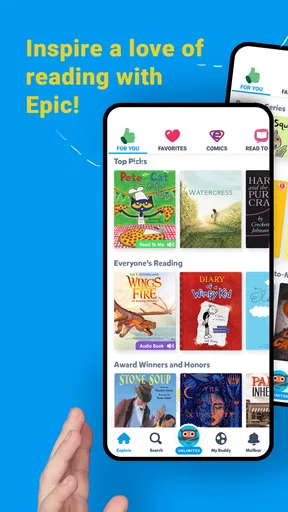
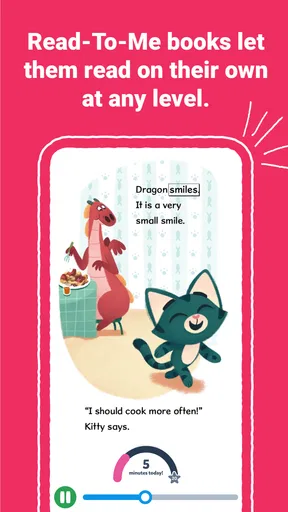
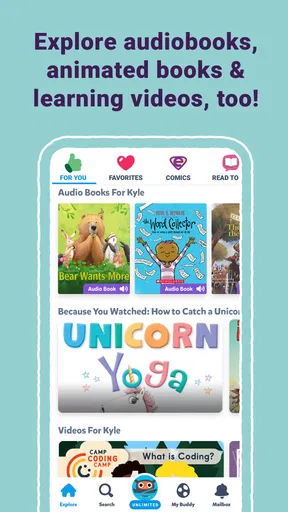
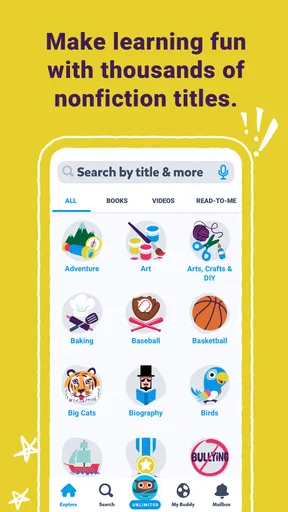
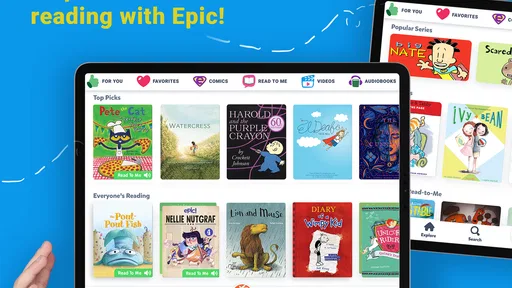
The app’s appeal is its range of formats. A child can browse ebooks, use read-to-me books, listen to a story, or watch an educational video. That gives parents a way to match the activity to a child’s energy and the time available. It can be especially handy when a young reader wants to follow along with narration, while an independent reader may prefer to browse and choose a book without help.
Trust starts with clear expectations
Because this is designed for children, I would set it up with a parent present and decide together what the app is for: quiet reading, discovery, or a short learning activity. The title’s child-friendly framing is reassuring as a starting point, but it is not a substitute for a parent checking the current account choices and the device’s settings. Those details matter more than assuming any children’s app will automatically fit a family’s privacy preferences.
I would also separate the question of content from the question of data. A child’s reading choices can feel personal, even when they are simply choosing stories about animals, space, or a favorite character. Before making the app part of a regular routine, I’d review the choices shown during setup and any account controls available to the adult, then decide what information I am comfortable entering. If a child is using a shared device, I’d pay particular attention to which profile is active and whether purchases require adult approval.
Make adult oversight part of the routine
It is tempting to hand over a device and let a child explore, especially when the interface is made for young users. I’d still take a moment to look at the adult-facing controls with them nearby. A quick check of reading activity can help a parent notice whether a child is choosing books independently, replaying the same story, or moving toward videos whenever reading feels harder. That is useful context for a conversation, not a reason to turn every reading session into a performance report.
For a younger child, I’d agree on a simple routine before opening the app: choose one story, listen or read together if needed, then stop when the story is over. For an older grade-school reader, I’d let them browse more independently but ask what they found afterward. Those small habits preserve the pleasure of choosing while keeping the adult involved in a practical way.
Where the formats help—and where they do not
Read-to-me books can lower the barrier for children who are still building confidence with print. Following along while narration plays may help keep a child engaged with the page, but it is not identical to practicing aloud with a patient adult. Audiobooks have a different strength: they can make a story possible when looking at a screen is inconvenient, such as during a car ride. Videos can answer a child’s curiosity about a topic, though I would use them deliberately rather than letting them displace reading by default.
That distinction is one of the app’s main trade-offs. Having several formats in one place makes it easy to adapt, but a child who came to read can be drawn toward watching instead. I’d agree on the purpose of each session—story time, listening, or a short topic video—so the variety supports reading rather than quietly changing the plan.
Who is likely to get the most from it?
I see the strongest fit for grade-school families who want a convenient source of stories and learning material, especially when a child enjoys choosing what to explore. It can also help a parent who needs a quiet activity for a short wait or wants to give a reluctant reader another route into a story. If a child strongly prefers physical books, needs close one-to-one reading support, or gets overstimulated by browsing on a screen, a paper book and shared reading time may be the better first choice.
Compared with a basic ebook reader, Epic’s combination of read-to-me content, ebooks, stories and videos offers more ways to engage. The trade-off is that a simpler reader can be calmer and more focused. A public library is often a better option for families who want to borrow physical books or avoid another paid digital service; Epic makes more sense when convenient, on-device variety is the priority.
Everyday use without turning it into homework
A realistic use might be a child choosing a read-to-me story after school while a parent prepares dinner. The adult can help choose a title, let the child listen and follow along, then ask what part stood out. If the child wants to keep reading, great; if not, the session can end there. This keeps the app as an invitation rather than a reward system that children have to earn or a task they have to finish.
For travel, I’d prepare before leaving rather than assume every connection will be available. The original appeal of offline reading is practical: a downloaded book can be useful when internet access is unreliable. I’d check that the selected material is ready while still connected, and choose a story in advance for a child who finds browsing difficult. That small bit of preparation can prevent a long journey from becoming a search through menus.
What the experience asks of parents
Epic is free to download, but it includes in-app purchases ranging from $0.99 to $89.99 per item. I would check the purchase prompts and account settings before letting a child use the app alone, and make sure the device’s purchase protections match my household rules. The current version is 3.141.19, and the app requires Android 7.0 or later. Those details matter when deciding whether it will work on an older device and how to manage paid access.
Choosing content with intention
A large digital collection can be a strength, but choice itself can become friction. If a child repeatedly scrolls without settling on anything, I’d narrow the task: offer two possible books, search around a current interest, or choose a story before handing over the device. This is not just a way to save time. It gives a young reader a manageable decision and makes it easier to see whether the problem is the available content, the interface, or simply low energy at that moment.
Recommendations can be useful for discovery, yet I would not treat them as a reading plan. A child’s interests change, and a recommendation that looks suitable to an adult may not appeal to the child. I’d use suggestions as a starting point, then let the reader reject a title without making the session feel like a test. The app works best when choice stays enjoyable rather than becoming another measure of progress.
Keeping expectations realistic
Parents may reasonably wonder whether the app can replace a regular book collection, whether it works for a child who is not yet reading independently, and whether paid access is necessary. I would see it as a companion rather than a substitute: read-to-me material can support shared or early reading, while physical books still offer a screen-free experience and a different kind of attention. The free download lets a family explore the app, but the available content and purchase choices should be checked in the app before deciding whether spending is worthwhile.
Progress tracking and goals, where available to the parent, can make reading habits easier to notice, but I’d keep those tools in proportion. A child’s reading is not automatically better because a dashboard shows activity. A short conversation about a story may tell a parent more about engagement than a tally, and a child who wants to reread a favorite may be getting something valuable from repetition even if they are not constantly sampling new titles.
A cautious recommendation
Epic is most convincing when a family wants flexible, child-oriented reading choices in one place and has a plan for adult oversight and purchases. Its combination of books, narration and videos gives parents options for different moods and settings, while the convenience can help make stories part of an ordinary day. I would be more cautious if the priority is a strictly screen-free routine, an uncluttered ebook experience, or a service whose account and content controls a parent has already reviewed and prefers.
Overall, I’d recommend trying Epic with a child rather than handing it over without a look around first. Explore the available choices together, set clear expectations for purchases, and see which formats the child actually returns to. If the app encourages curiosity and makes a story easier to reach, it can earn a place in the routine. If it mostly leads to aimless browsing or more screen time than the family wants, a library book or a shared read-aloud is a perfectly good alternative.
A World of Books at Your Fingertips
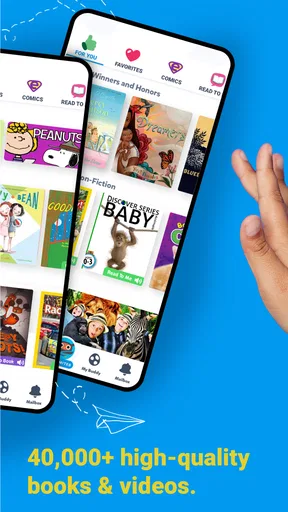
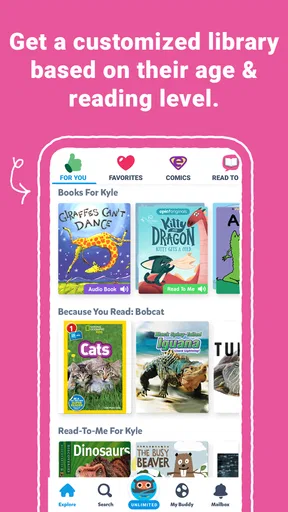
First off, the selection. Epic has something for every kid, no matter what they’re into. From fairytales to science adventures, there’s a book for every curious mind. The app even curates book recommendations based on your child’s reading level and interests, so they can find new favorites without getting overwhelmed.
And let’s not forget the audiobooks. Perfect for car rides or bedtime, these are a great way for kids to enjoy stories when they’re too tired to read or just want to listen.
Interactive Learning
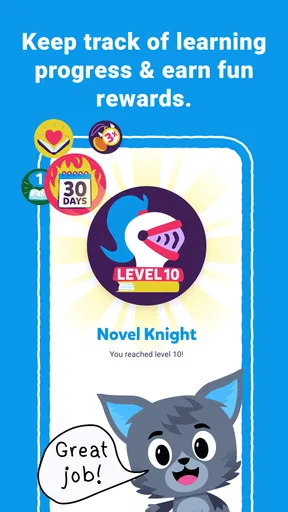
Epic isn't just about reading; it’s about learning too. The app is packed with educational videos that cover a wide range of topics. Whether your kid wants to learn about dinosaurs or how plants grow, there’s a video that’ll spark their curiosity. Plus, there are quizzes and badges to earn, making it a fun way for kids to test their knowledge and feel accomplished.
Kid-Friendly Design
One of the best things about Epic is its intuitive, kid-friendly design. The interface is colorful and easy to navigate, so kids can find their way around without a hitch. Parents can breathe easy knowing the app is safe for kids to explore on their own.
Parents also have a dashboard where they can track their child's progress, see what they’ve been reading, and even set reading goals. It’s a nice way to stay involved and encourage a love for reading.
Access Anytime, Anywhere
Another cool feature is the offline reading option. Once books are downloaded, they can be accessed without an internet connection. Perfect for those long road trips or when you’re stuck somewhere without Wi-Fi.
Subscription Details
Epic offers a free version, but to unlock its full potential, there’s a monthly subscription fee. It might seem like a downside, but for the wealth of content you get, it’s well worth it. Plus, they often have deals and free trials, so it’s worth checking out if you’re curious.
Final Thoughts
All in all, Epic: Kids’ Books & Reading is more than just an app; it's a gateway to a world of imagination and learning. Whether your child is a reluctant reader or a bookworm, Epic has something to keep them engaged and excited about reading.
So, if you're looking for a way to spark your child's love for reading or just want to give them a fun, educational tool, give Epic a try. It’s like having a library in your pocket, and who wouldn’t want that?
Privacy and Permissions
See what permissions an app requests and how it handles your data.
- Wi-Fi connection information
- view Wi-Fi connections
- Other
- view network connections, full network access, run at startup, prevent device from sleeping, Google Play license check, read Google service configuration
Verdict
Strengths of Epic: Kids' Books & Reading
- Extensive library with diverse genres.
- Interactive features enhance learning.
- Safe, ad-free environment for kids.
- Offline access for reading anywhere.
- Regular updates with new content.
Limitations of Epic: Kids' Books & Reading
- Requires subscription for full access.
- Limited customization options.
- Not compatible with all devices.
- Offline access needs prior download.
- Some books have audio issues.
Similar Picks in This Category
View All
Duolingo: Language Lessons
Duolingo4.7

Google Classroom
Google LLC2.8

Unacademy: Learn & Crack Exams
Unacademy3.2

Bible App for Kids
Life.Church4.4

Cake - Learn English & Korean
Cake Corp.4.7

Brainly: AI Homework Helper
Brainly4.5
Frequently Asked Questions
What age group is Epic: Kids' Books & Reading suitable for?
Epic is designed for children aged 12 and under. It offers a wide range of books, audiobooks, and learning videos tailored to various reading levels. Parents can find content appropriate for preschoolers, early readers, and older children, ensuring that there's something for every age and interest.
Does Epic: Kids' Books & Reading require an internet connection?
While an internet connection is needed to initially browse and download content, Epic also offers an offline feature. By downloading books and videos beforehand, children can access their favorite materials without needing Wi-Fi, making it convenient for travel or areas with limited connectivity.
Is there a free version of Epic: Kids' Books & Reading?
Epic offers a 30-day free trial for new users, allowing them to explore the app's features and content library. After the trial, a subscription is required to maintain access. Educational institutions, however, may have access to free accounts, providing a valuable resource for schools and libraries.
Can parents monitor their child's progress on Epic: Kids' Books & Reading?
Yes, Epic provides detailed progress tracking for parents. The app includes reading logs, time spent on reading, and a list of completed books. These features help parents and educators monitor a child’s reading habits and development, offering insights into areas where a child may need additional support.
Are the books on Epic: Kids' Books & Reading safe and age-appropriate?
Epic curates its library to ensure that all content is safe and suitable for children. Books are categorized by age and reading level, and the app includes parental controls to customize what each child can access. This helps maintain a secure and educational environment tailored to individual needs.
